AirTag Found Moving With You: What the Alert Means and What to Do
Why the alert appears, how to make sure alerts are on, how to find and disable an unknown tracker, and the setting that does not stop it. Based on Apple Support.
Why the alert appears, how to make sure alerts are on, how to find and disable an unknown tracker, and the setting that does not stop it. Based on Apple Support.

An alert that an AirTag or another tracker is "moving with you" is alarming, but there is often an innocent reason. Apple's support page explains what the alerts mean and what to do. This guide follows that page, dated 24 September 2026. It covers iPhone and iPad.
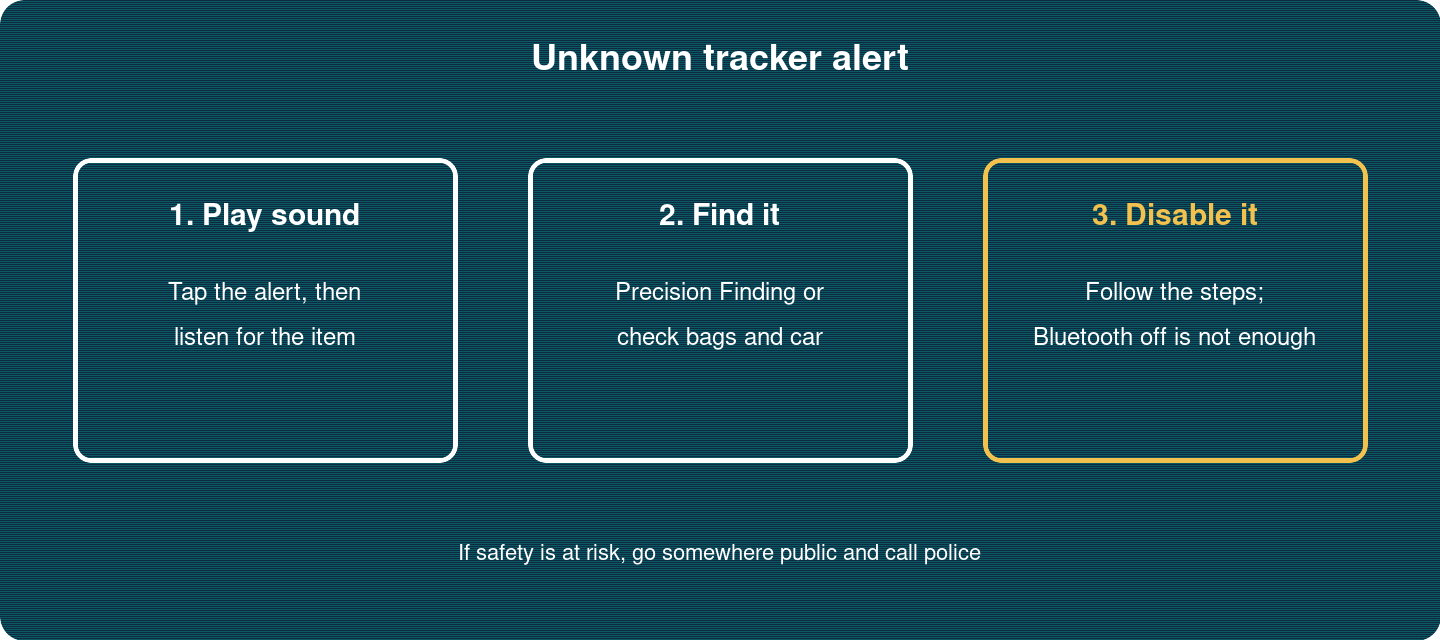
AirTags, some AirPods models and other Find My network accessories use the Find My network to help owners find belongings. Apple says they include protections against unwanted tracking. If one is separated from its owner and seen moving with you over time, you get a notification or the item plays a sound. Apple and Google also created an industry specification so that compatible Bluetooth trackers can alert people on both iOS and Android.
Apple says the item may be attached to something you are borrowing, and you can get the alert for borrowed AirPods too. For an item from someone in your Family Sharing group, you can turn off alerts for it for a day or indefinitely.
If you feel your safety is at risk, Apple says to go to a safe public location and contact local law enforcement. They can work with Apple to request information about the item.
You get "AirTag Found Moving With You" after a day out. Tap it, play the sound, and check the jacket you borrowed from a friend. If you find it and it belongs to your friend, nothing is wrong and you can turn off alerts for it. If it is hidden in your car and you do not know whose it is, take a photo of the serial-number page, disable it, and consider contacting police rather than confronting anyone. Related safety reading: stolen iPhone: what to do.