iPhone Low Power Mode: What It Turns Off and When It Switches Itself Off
How to turn it on, what it limits, and why mail and photos may wait. Based on Apple Support, 21 September 2026.
How to turn it on, what it limits, and why mail and photos may wait. Based on Apple Support, 21 September 2026.
Low Power Mode cuts background activity to stretch a low battery. Apple's support page (21 September 2026) lists what it changes and how to switch it on. This guide is for iPhone and iPad.
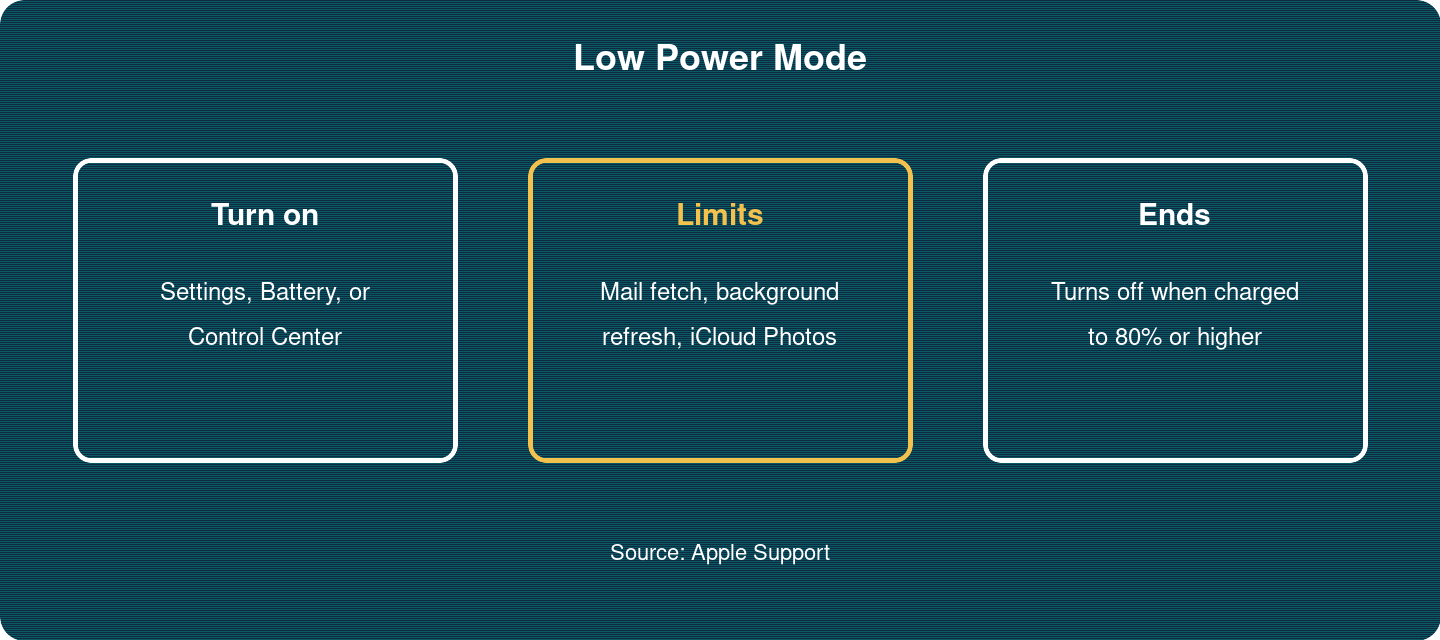
Apple lists these changes:
The battery icon in the status bar turns yellow. Apple says it turns off when you charge to 80% or higher.
You are at 18% with a long day left. Low Power Mode will not fetch new mail in the background, so you may need to open Mail to see new messages. It also pauses iCloud Photos, so photos wait to upload. That matters if you are about to back up: see back up your iPhone. If the battery drains fast even after charging, see iPhone battery health and charging overnight.