iPhone Too Hot or Too Cold: What Is Normal and What to Do
The safe temperature range, when warm is normal, what a too-hot phone limits, and what the warnings mean. Based on Apple Support.
The safe temperature range, when warm is normal, what a too-hot phone limits, and what the warnings mean. Based on Apple Support.
A warm iPhone is not always a problem, and a hot one can slow, dim or stop charging on purpose. Apple's support page lists the safe temperature range and what to do. This guide follows that page, dated 14 May 2026.
Apple lists times a device may feel warmer: first setup, restoring from a backup, finishing a software update (especially a major one), wireless charging, graphics-heavy or processor-heavy apps and games including camera apps, and streaming high-quality video. It cools when the task or activity ends. If there is no temperature warning, you can keep using it.
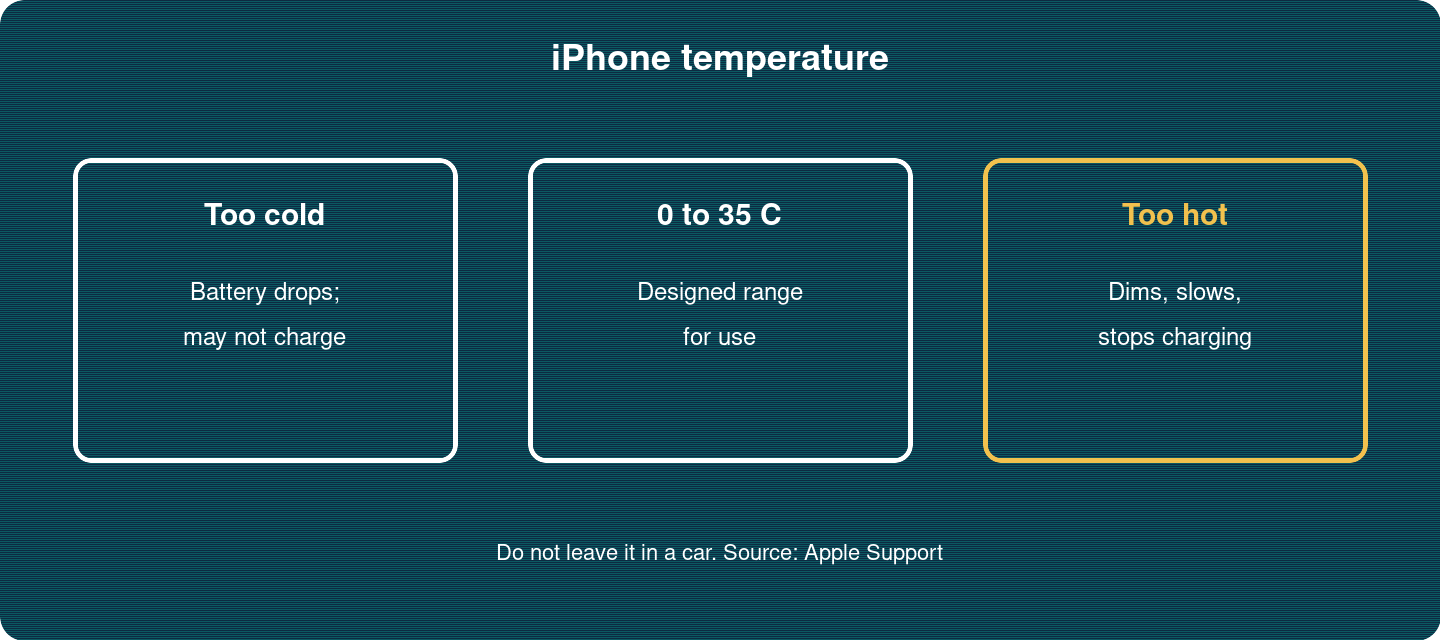
If the internal temperature goes past the normal range, the phone protects itself. You might see charging slow or stop, the display dim or go black, a weaker cellular signal, the camera flash or features disabled, or lower frame rates in some apps. While navigating, you may see "Temperature: iPhone needs to cool down", the display turns off, and you still get spoken turn-by-turn directions.
Apple says to avoid leaving it in a car on a hot day, in direct sunlight for a long time, or using GPS navigation, a graphics-intensive game or the camera for long periods in the heat.
In very cold conditions, battery life may shorten temporarily and the device could turn off, and it may not charge. Battery life returns to normal when it warms up.
You are using maps in a hot car with the phone on the dashboard, charging wirelessly. That stacks several heat sources from Apple's list: sunlight, navigation, wireless charging. Moving the phone out of the sun and off the charger is the fix, not a settings change. For charging problems, see iPhone won't charge or turn on, and for slow performance see iPhone running slow.