How to Lock Apps With Stolen Device Protection on iPhone
Turn on Stolen Device Protection and lock an app such as Mail so a thief who knows your passcode still cannot open it. Based on Apple Support, 11 June 2026.
Turn on Stolen Device Protection and lock an app such as Mail so a thief who knows your passcode still cannot open it. Based on Apple Support, 11 June 2026.
Stolen Device Protection adds a layer of security for the case where a thief knows your iPhone passcode. Locking an app extends that layer to the app. This guide follows Apple Support (published 11 June 2026).
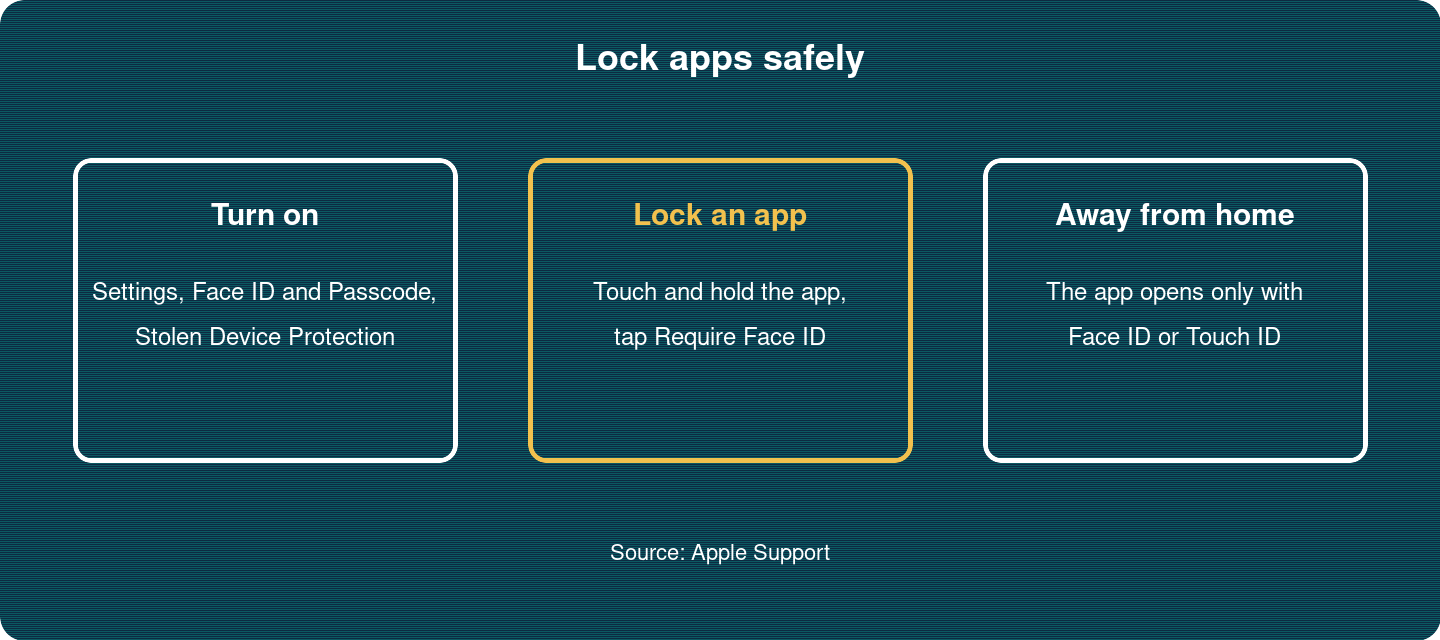
Apple's example is the Mail app. Locking it helps stop someone who stole your iPhone and knows your passcode from reading sensitive information in your email, such as two-factor authentication codes for banking and social media accounts.
You use Mail for codes that sign you in to your bank. Turn on Stolen Device Protection, then lock Mail. At home, you can still open it with Face ID or your passcode. Away from familiar places, it needs Face ID or Touch ID only. If your phone is ever taken, follow what to do if your iPhone is stolen.