Why Are Some iPhone Messages Green? A Step-by-Step Decision Path
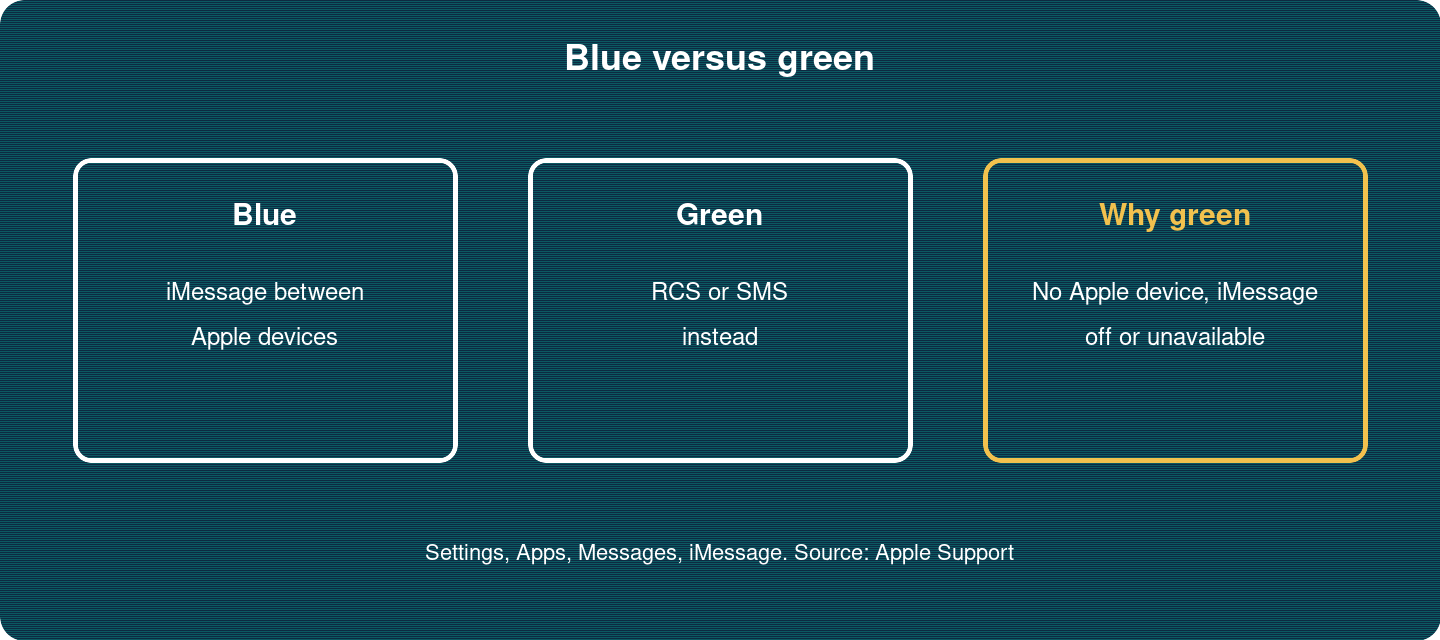
Green means the message went as RCS or SMS/MMS, not iMessage. Texting an Android phone: normal. Texting an iPhone: turn on iMessage in Settings, Apps, Messages, then follow the steps below. Based on Apple Support, 2026.
Autobaselli · 3 min read
Short answer: a green bubble means the message went as RCS or SMS/MMS instead of iMessage. If you are texting an Android phone, that is expected. If you are texting an iPhone, check that iMessage is on in Settings, Apps, Messages, then follow the steps below. This guide uses three Apple Support pages (11 May, 18 June and 16 November 2026).
What the bubble colour tells you.
Step 1: Who are you texting?
Apple's first reason is that the person does not have an Apple device. iMessage only works between Apple devices, so a message to an Android phone goes as RCS or SMS/MMS and shows green. Apple lists this as the first reason a message goes green.
Step 2: Is iMessage on, on your iPhone?
Open Settings, tap Apps, then Messages.
Turn on iMessage.
Tap Send & Receive and choose whether new conversations start from your phone number or email address.
Apple also says iMessage can be off or temporarily unavailable on the recipient's device. That part is out of your hands. Ask them to check the same setting.
Step 3: Did you just set up a new iPhone or SIM?
Apple names this case directly: after setting up a new device, sent messages can appear green and conversations can split into separate threads. Apple's steps:
Update to the latest iOS.
In Settings, tap Cellular and make sure your phone line is on. With multiple SIMs, select the number you want.
In Settings, Apps, Messages, turn iMessage off and back on.
Tap Send & Receive and tap the phone number you want to use.
Step 4: Is the message not delivered at all?
A red exclamation point with Not Delivered is a different problem. Apple says to check your network connection, tap the exclamation point and Try Again, and if it still fails tap Send as Text Message (messaging rates may apply). To let your iPhone fall back to a text on its own, turn on Reply as Text Message in Settings, Apps, Messages.
What green means for privacy
Apple says iMessage conversations are end-to-end encrypted and show a lock icon. SMS/MMS messages are not end-to-end encrypted. RCS can be encrypted only when every participant's carrier supports it, starting with iOS 26.5 (Beta), and Apple says to look for "Encrypted" at the top of the conversation. No indicator means it is not protected in transit. So a green bubble to another iPhone is both a delivery question and a privacy question.
If it stays green after these steps
Apple says to contact Apple Support if you still cannot send or receive iMessages, and to contact your carrier if you cannot send or receive SMS, MMS or RCS messages.
Quick table
Situation
Normal?
What to do
Texting an Android phone
Yes
Nothing. It is RCS or SMS/MMS.
Texting an iPhone, iMessage off on yours
No
Turn iMessage on in Settings, Apps, Messages.
Just set up a new iPhone
Common
Cellular line on, toggle iMessage, pick your number in Send & Receive.
Message shows Not Delivered
No
Check network, Try Again, or Send as Text Message.