Fake Apple Support Calls, Texts and Emails: Warning Signs and Where to Report
The signs of an Apple impersonation scam, what Apple says it never asks for, and where to report. Based on Apple Support, 15 June 2026.
Autobaselli · 2 min read
Scammers often pretend to be Apple Support to get your password, security codes or money. This guide follows Apple Support (published 15 June 2026) and covers the warning signs and where to report them.
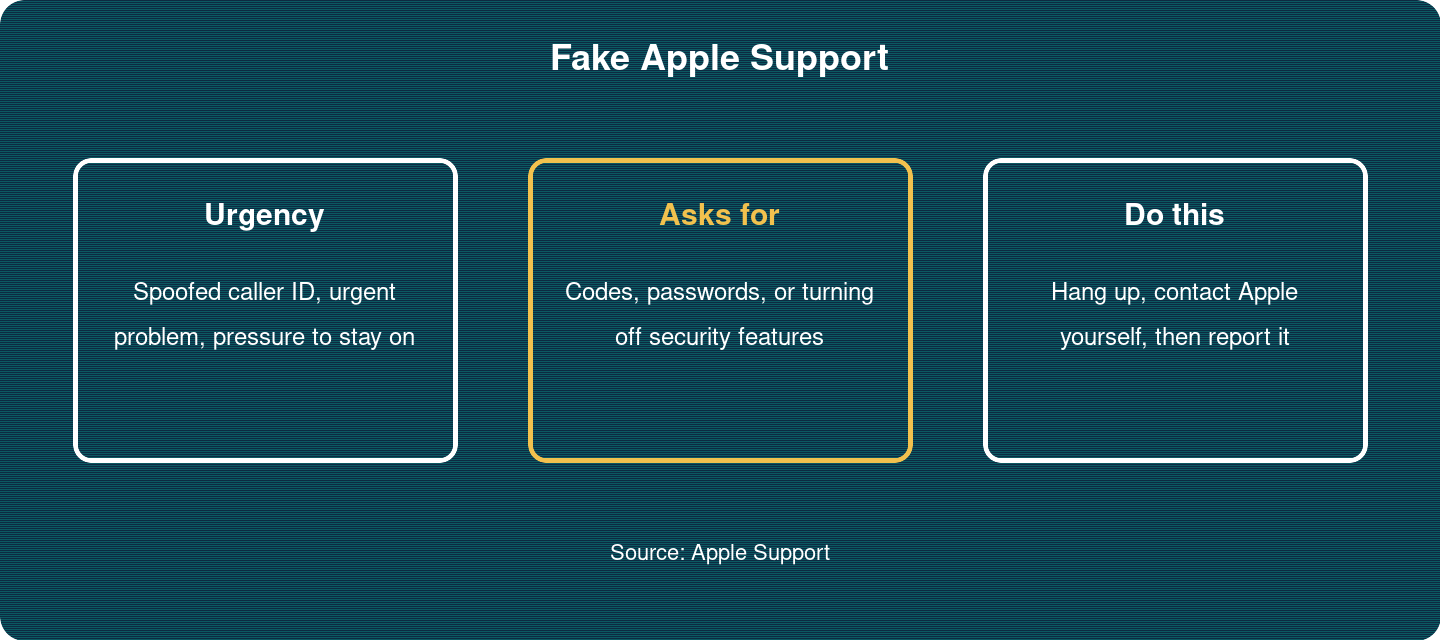
Fake Apple Support: three warning signs.
How the scam usually goes
Apple describes social engineering as impersonation, deception and manipulation to get your personal data. The signs it lists:
The call seems to come from a real Apple number. This is called spoofing. If it seems suspicious, hang up and dial the company's vetted number yourself. See caller ID spoofing explained.
They mention personal details such as your address or workplace to seem legitimate.
They say they want to help with an urgent problem, such as someone breaking into your iCloud account or unauthorized Apple Pay charges.
They create urgency and may say fraud will continue and you will be liable if you hang up. Apple says that is false and designed to keep you on the line.
They ask for account details or security codes, often by sending you to a fake sign-in page.
They ask you to turn off security features such as two-factor authentication or Stolen Device Protection. Apple says it will never ask you to disable any security feature.
What Apple says it will never ask
Apple will never ask you to log in to a website, to tap Accept in the two-factor authentication dialog, or to give or enter your password, device passcode or two-factor code anywhere. It also says never to use Apple Gift Cards to pay other people.
Signs of a fake email or text
The sender's email or phone does not match the company it claims to be.
It uses a different contact than the one you gave the company.
A link looks right but the URL does not match the company's website.
It looks very different from past messages.
It asks for personal information such as a card number or password.
It is unsolicited and has an attachment.
What to do
If a call claims to be from Apple, hang up. Contact Apple through its official support channels instead.
Do not follow links or open attachments in suspicious messages.
If you may have entered your password on a scam site, change your Apple Account password straight away and make sure two-factor authentication is on. See what to do if your Apple Account is compromised.
Where to report
Fake Apple email: forward it to reportphishing@apple.com.
Fake Apple text: screenshot it and email the screenshot to reportphishing@apple.com.
Suspicious FaceTime call or link: email a screenshot, including the number or email address that sent it, to reportfacetimefraud@apple.com.
Spam in iCloud.com, me.com or mac.com mail: mark it as Junk. Abuse or impersonation: abuse@icloud.com.
Messages: tap Report Junk under the message.
Scam calls in the U.S.: reportfraud.ftc.gov, or local law enforcement elsewhere.
Worked example
A caller says your iCloud was hacked and asks you to read out a code that just arrived. Hang up. That code is a two-factor code, and Apple says it never asks for one. Then check your account on your own device, not through any link the caller gave you.